

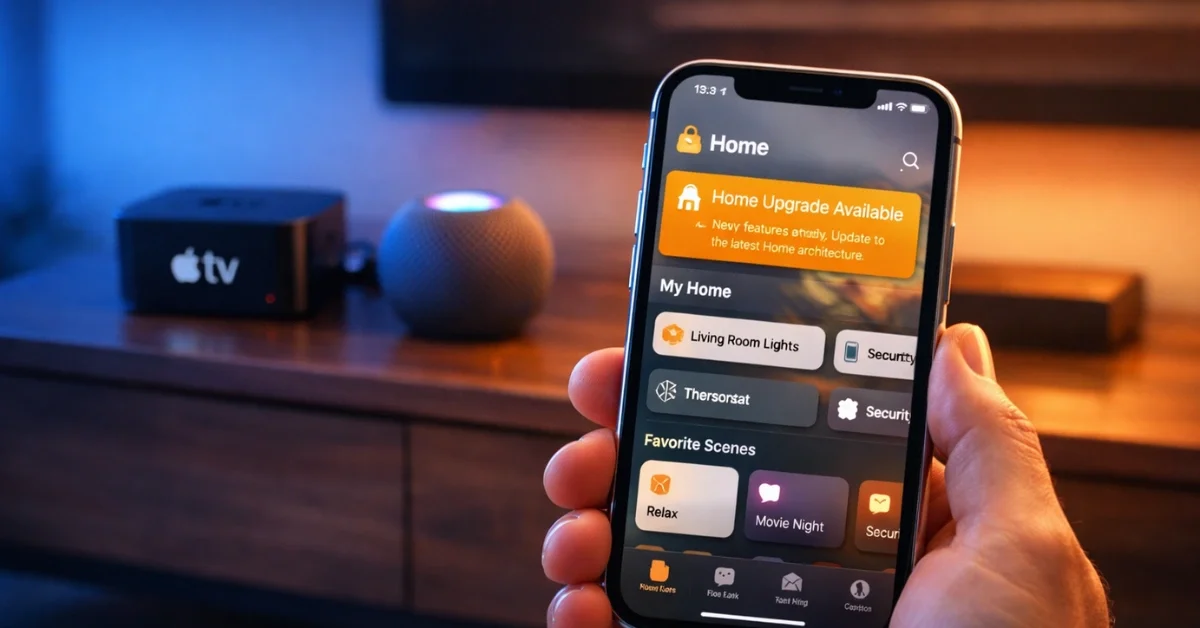
Apple is officially ending support for its legacy smart home framework today, making the Apple Home architecture update a mandatory requirement for users who want to maintain control of their connected devices. This change marks the final transition to a more modern and robust system that Apple has been phasing in over several years. Users who fail to complete the migration may find their smart lights, thermostats, and security cameras inaccessible through the Home app or Siri.
The deadline for this transition has arrived after several warnings from technical experts and Apple itself. This update is not a typical software patch; it is a fundamental redesign of how Apple Home communicates with smart accessories. By moving to the new architecture, the system shifts the heavy lifting of device communication away from individual iPhones and iPads and onto a dedicated central hub.
Why the Switch is Necessary for Smart Home Users
The primary goal of the Apple Home architecture update is to improve the reliability and speed of smart home setups. Under the old system, every time a user opened the Home app, their device had to communicate individually with every connected accessory to check its status. This often led to delays, slow response times, and the frequent “No Response” error messages that frustrated many long-time HomeKit users.
With the new architecture, a persistent Home Hub—such as an Apple TV or HomePod—remains in constant communication with all smart devices. When a user opens the Home app, the iPhone simply asks the hub for the current status of the entire home. This results in nearly instantaneous updates and significantly more reliable automation triggers. This centralized approach also allows for better support for the Matter smart home standard, which is designed to make devices from different brands work together seamlessly.
How to Upgrade Your Home Architecture Today
To begin the migration, users must first ensure that all their Apple devices are running the latest version of their respective operating systems. This includes iPhones, iPads, Macs, and Apple Watches. Once the devices are updated, the option to upgrade the architecture should appear within the Home app settings.
To find the update, open the Home app and tap on the “More” button, which is represented by a circle with three dots. From there, select “Home Settings” and look for the “Software Update” section. If the home is still running on the old framework, a banner or notification labeled “Home Upgrade Available” will appear. Following the on-screen prompts will initiate the process, which typically takes only a few minutes to complete, though users should avoid interacting with their devices during this brief window.
Requirements and Troubleshooting for Apple Home Hubs
One of the most critical aspects of this update is the requirement for a compatible Home Hub. Because the new architecture relies on a central device to manage the home, users must have at least one Apple TV or HomePod acting as a hub. Older devices that were once used as home hubs, such as iPads, are no longer supported under this new architecture. Users who were previously relying on an iPad as their central controller will need to purchase a HomePod or Apple TV to maintain remote access and automation functionality.
If the upgrade option does not appear, it is likely that one or more devices in the household are not yet running the latest software. Apple requires every device connected to the home to be compatible with the new architecture before the upgrade can be finalized. If a single iPad or Mac in the house is running an older version of the software, it may prevent the “Home Upgrade Available” prompt from appearing or cause that specific device to lose access to the home once the update is finished.
Benefits of the New Architecture System
While the mandatory nature of the update may seem disruptive, the long-term benefits for the smart home experience are substantial. Beyond the speed improvements, the new system offers better stability for large-scale installations. Homes with dozens of accessories will see the most significant improvement, as the hub-centric model is much better at managing high volumes of traffic compared to the legacy peer-to-peer method.
Furthermore, the new architecture provides a more solid foundation for future features and security enhancements. By standardizing how devices communicate through a hub, Apple can more easily push security updates and ensure that user data remains private and encrypted. For those who have already made the switch, the consensus is that the “No Response” issues that plagued earlier versions of HomeKit are largely a thing of the past, provided the local network and home hub remain stable.
Managing Shared Users and Household Access
A common point of confusion during this transition involves shared users. When a home is upgraded to the new architecture, every person who has access to that home must also be on the latest software version. If a family member or roommate is using an older iPhone that cannot be updated to the latest iOS, they will be locked out of the home controls entirely.
This “all-or-nothing” approach ensures that the entire system operates on the same protocol, preventing communication errors between different versions of the framework. Before hitting the upgrade button, it is highly recommended to check with all residents of the household to ensure their personal devices are ready. Once the transition is complete, the old architecture cannot be restored, making this a permanent move toward Apple’s vision for a more efficient and responsive smart home ecosystem.
