

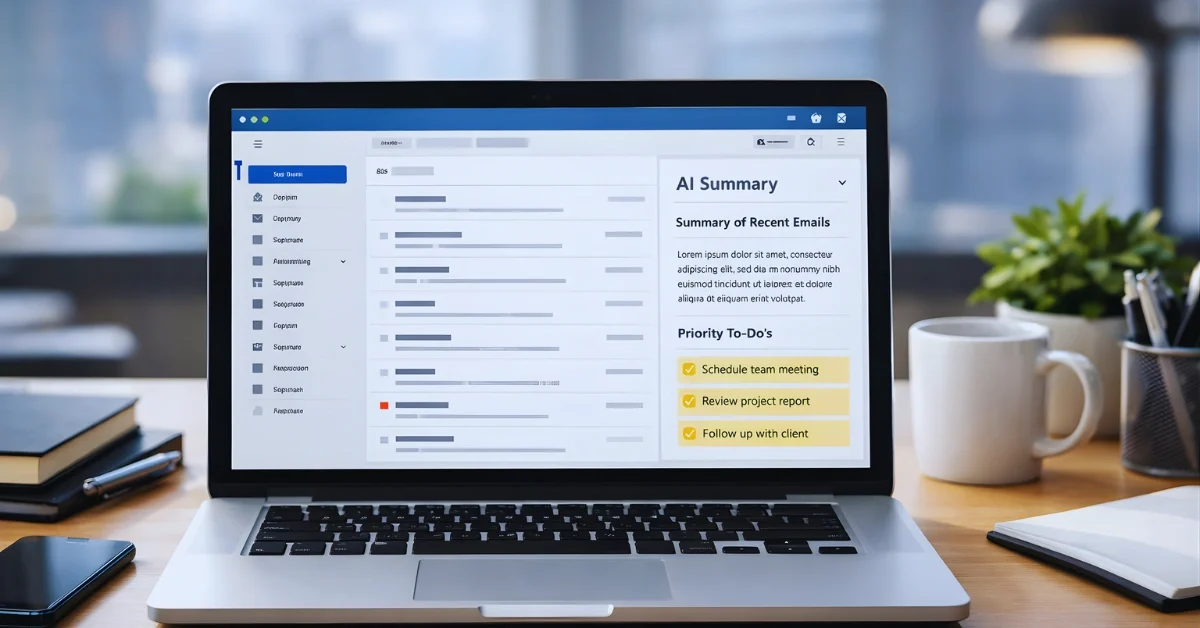
Google is rolling out new Gemini-powered features in Gmail, including AI-generated conversation summaries, improved writing tools, and an experimental AI Inbox view designed to help people prioritize what matters.
The update aims to make Gmail a more proactive “inbox assistant” as email volume grows and people spend more time sorting information, not just reading messages.
AI Overviews bring summaries and answers
Google says it is introducing “AI Overviews” in Gmail to turn information in emails into direct answers and reduce the need to dig through long message threads.
One part of AI Overviews focuses on conversation summaries: when an email thread has many replies, Gmail can generate a concise recap of the key points from the discussion.
Google’s blog post says these AI Overview conversation summaries are rolling out for everyone at no cost.
A second part is designed to let people ask their inbox questions in natural language and get an AI-generated overview with an answer, using Gemini.
Google gives an example of asking something like, “Who was the plumber that gave me a quote for the bathroom renovation last year?” to quickly surface the needed details from older emails.
However, Google says the ability to ask the inbox questions with AI Overviews is only available to Google AI Pro and Ultra subscribers.
The Register also reports that Google is bringing AI Overviews into Gmail and describes the feature as similar to the AI Overviews people see in Google Search, where information is turned into an answer without extra digging.
Writing tools expand, with some paid features
Google says “Help Me Write” is rolling out so people can draft emails from scratch or refine what they have already written.
The company also says it is updating Smart Replies with “Suggested Replies,” which use the context of the conversation to offer one-click responses intended to match a user’s writing style.
Google’s blog post describes a scenario where Suggested Replies can draft a response that fits a person’s tone and style, which the user can then edit before sending.
Google says Help Me Write and Suggested Replies are rolling out to everyone at no cost.
In addition, Google says it is adding a “Proofread” feature for more advanced grammar, tone, and style checks before an email is sent.
Google’s blog post says Proofread is available for Google AI Pro and Ultra subscribers.
The Register separately reports that proofreading is rolling out, but only for Pro and Ultra subscribers.
Google also says that next month it plans to update Help Me Write with better personalization by bringing in context from a user’s other Google apps.
AI Inbox aims to prioritize what matters
Google says it is testing an “AI Inbox” view meant to cut through clutter by highlighting to-dos and surfacing high-priority items.
In Google’s description, AI Inbox works like a personalized briefing that helps people focus on what matters and identifies “VIPs” using signals such as who someone emails frequently, who is in their contacts, and relationships it can infer from message content.
Google says this can help important items rise to the top, offering examples like a bill due tomorrow or a dentist reminder.
Google says AI Inbox is being provided to “trusted testers” first, with broader availability planned in the coming months.
The Register also reports that AI Inbox is initially limited to select testers and describes a demo video showing an inbox view that turns messages into a daily to-do list, prioritizing work using signals like frequent contacts, contact lists, and inferred relationships.
Rollout details, privacy notes, and turning it off
Google says these Gmail improvements are enabled by Gemini 3 and are beginning to roll out in the U.S., starting in English, with more languages and regions planned in the coming months.
The Register reports that Gmail users in the U.S. with English set as their primary language are first to get the features, and says a Google spokesperson described a gradual rollout over the next few days.
On privacy, Google’s blog post says AI Inbox analysis happens securely with privacy protections that keep data under a user’s control.
The Register reports that Google said it will not use personal message text to train its foundational models and that AI processing happens in an isolated environment.
The Register also reports that Google described the work of connecting information across emails as happening in a private space dedicated to the user’s task, with data staying inside a “secure boundary.”
For people who do not want the changes, The Register reports the features can be disabled, but doing so requires turning off Gmail “smart features,” which also removes things like inbox tabs and messages sorted by type.
The Register describes the steps as going to Gmail Settings, opening General, finding the Smart features section, and unchecking the option to turn on smart features.
