

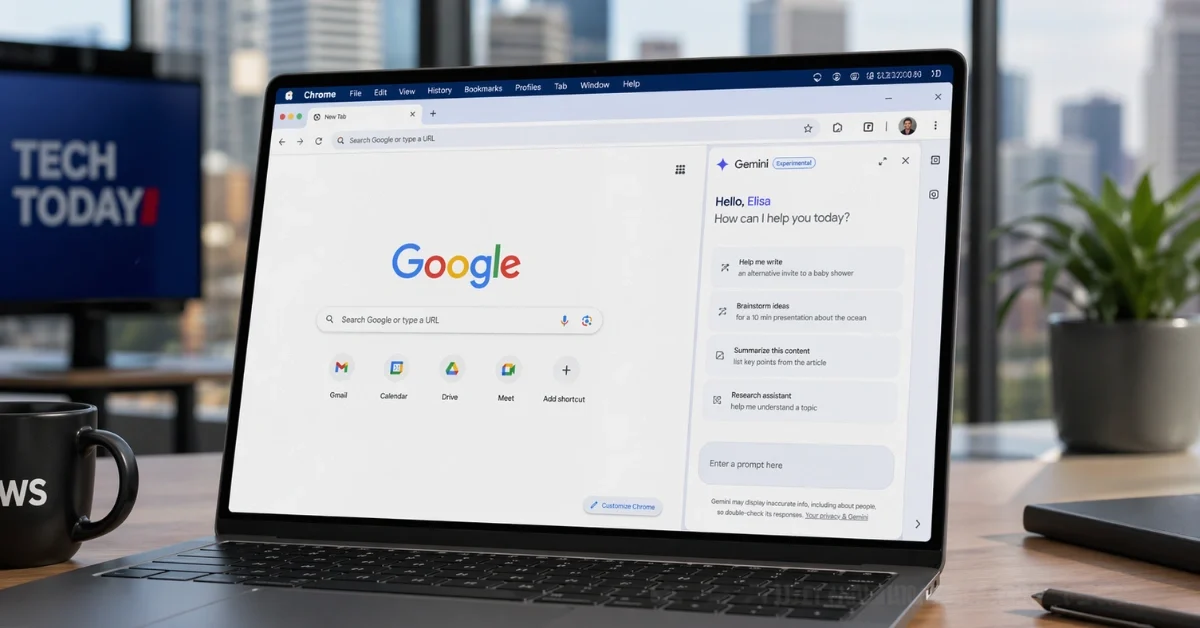
Google is expanding Gemini in Chrome to more users in Asia-Pacific, with the browser-based AI feature now rolling out to Australia, Indonesia, Japan, the Philippines, Singapore, South Korea, and Vietnam. According to TechCrunch, the expansion covers seven new markets, while 9to5Google said the rollout includes those countries and other countries in the region.
The new rollout brings Gemini in Chrome to desktop users in those markets, and to iOS users in all of them except Japan. TechCrunch said the feature is available on desktop and iOS in the new markets except Japan, while 9to5Google specified desktop support for Mac, Windows, and Chromebook Plus devices.
Built into the browser
Gemini in Chrome is designed to work inside the browser instead of as a separate destination, giving users AI help while they browse the web. 9to5Google said the tool can summarize long pages, compare information across multiple tabs, and answer questions based on the current tab. TechCrunch also said Google has been adding more AI and Gemini features to Chrome since last year through a floating window, with a sidebar-based assistant introduced earlier this year.
The feature also ties into several Google services. Both reports said users can schedule meetings with Calendar, check location details with Maps, and draft and send emails with Gmail from Gemini in Chrome. 9to5Google added that users can ask questions about YouTube videos, while TechCrunch said Gemini can use Personal Intelligence to connect with services such as Gmail and Google Photos for more personalized answers.
How people can access it
On a desktop, Gemini in Chrome can be opened from the top-right corner of each browser window. 9to5Google said users can also launch it with a keyboard shortcut, from the Mac menu bar, or from the Windows system tray. The same report said people can manage the experience through Chrome Settings under AI innovations and Gemini in Chrome.
Once opened, Gemini appears either as a side panel next to the webpage or as a floating window. That setup is meant to let users keep reading while using AI help without leaving the page they are on. On iOS, 9to5Google said the feature can be accessed from the left side of the address bar.
More tools inside Gemini
Google is also adding extra creative and memory features to the Chrome experience. TechCrunch and 9to5Google both said users can transform images on the web with Nano Banana 2 from the Gemini in Chrome sidebar. 9to5Google also said Personal Intelligence can remember context from earlier conversations, which helps Gemini give tailored answers across the web.
That makes the rollout about more than just page summaries. The browser assistant is being positioned as a tool for research, organization, and quick actions across tabs and connected Google apps. The latest expansion also shows Google is continuing to move Gemini deeper into Chrome after earlier launches in the United States, followed by Canada, India, and New Zealand in March.
What is not included
The wider availability does not include every Gemini-powered browser feature Google has discussed. TechCrunch said the company’s agentic tool, which can control a browser window and complete tasks on a user’s behalf, is still in testing. That feature remains limited to users in the United States who subscribe to the AI Pro or AI Ultra paid plans.
For now, the broader rollout is centered on Gemini in Chrome itself and the assistant features already built into the browser. That includes help with summarizing content, working across tabs, using connected Google services, and accessing the assistant directly inside Chrome on supported desktop and iOS devices.
